😈 Caption Videos on Your iPhone Without Uploading Them Anywhere
TL;DR: Whisper Caption transcribes and captions video entirely on the iPhone—OpenAI’s Whisper model running locally, 90+ languages, karaoke-style word highlighting. Your footage never touches a server, and there’s no subscription.
Every video-captioning app I tried worked the same way: upload your video to their cloud, wait, get captions back, and pay monthly for the privilege. For a creator posting daily clips, maybe fine. But a lot of video shouldn’t leave the phone—client work under NDA, family videos, an unreleased demo. And the subscription math is backwards: captioning is a burst activity (you caption five videos one weekend, then nothing for a month), which is exactly the usage pattern subscriptions are designed to exploit.
The thing is, the hard part of captioning—the speech recognition—no longer needs a server. Whisper, OpenAI’s open-source speech model, runs comfortably on an iPhone’s neural engine. So I built the app I wanted: pick a video, the transcription runs on the device, captions appear, you style them and export. The network is not involved. That’s the entire architecture.
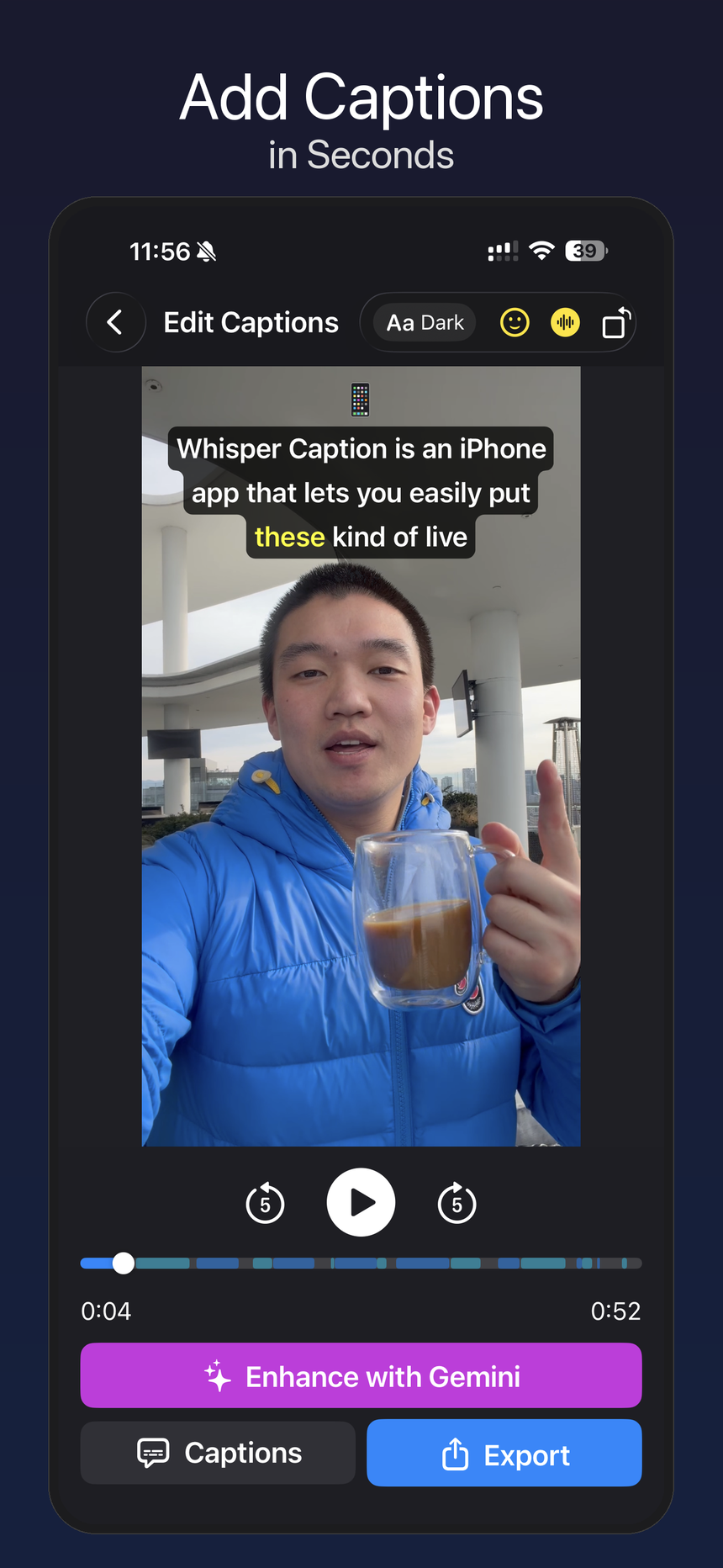
The basic loop: pick a video, get captions, adjust, export.
Word-level timing is the fun part
Whisper doesn’t just give you text—it gives you timing per word. Whisper Caption uses that for karaoke-style highlighting: each word lights up as it’s spoken. It reads as much more “produced” than static caption blocks, and it’s the style short-form video has trained everyone to expect.
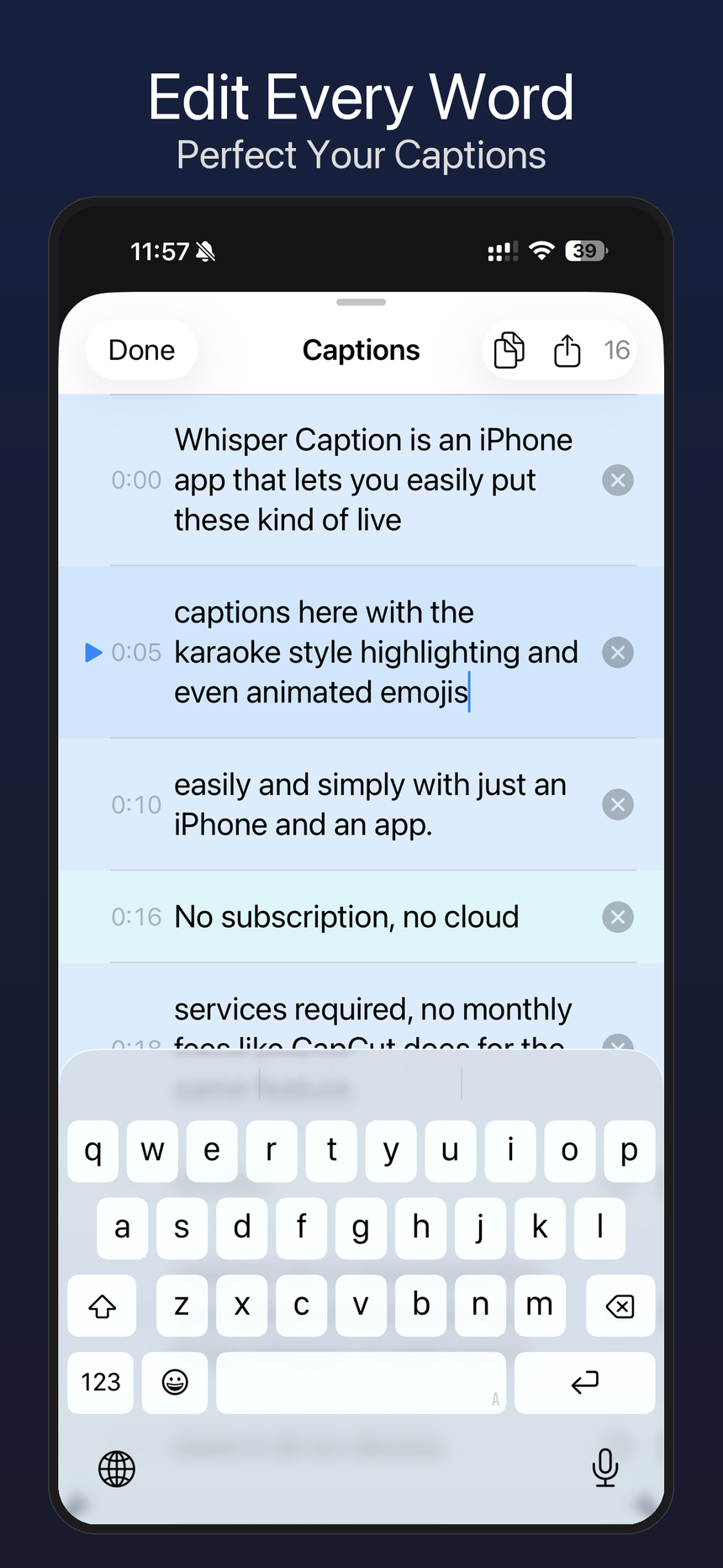
Every segment stays editable, because automatic captions always need a human escape hatch.
Getting this right in Chinese was its own adventure. For spaceless scripts like Chinese and Japanese, Whisper returns one coarse timing per sentence, so my first version highlighted the entire sentence at once—technically karaoke, spiritually a PowerPoint. The fix was exploding sentences into per-character units with CJK-aware spacing. I mention this partly because it was a satisfying bug, and partly because Chinese support isn’t a checkbox here—the app’s intro script literally demos Mandarin with pinyin captions. With 90+ languages in the model, Spanish, Chinese, and English were the three I tested hardest.
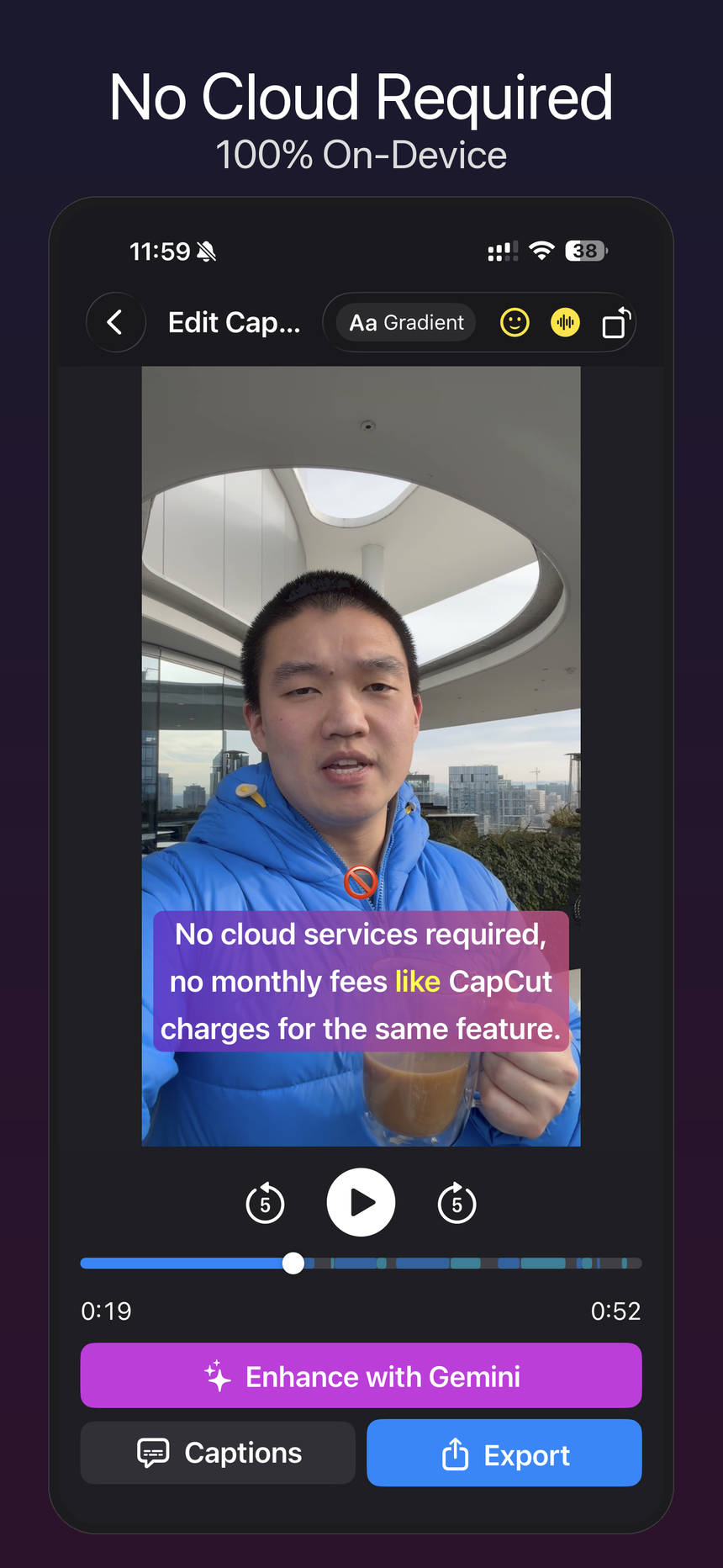
No cloud is not a slogan here; the captioning path runs locally.
What it doesn’t do
No cloud features, obviously—that’s the point, but it means no team libraries or cross-device sync. And on-device transcription is bounded by your phone’s chip: a newer iPhone chews through video quickly, an older one takes noticeably longer. I think that trade is worth making explicit rather than hiding: you’re trading a little patience for footage that never leaves your hand and a price that isn’t a subscription.
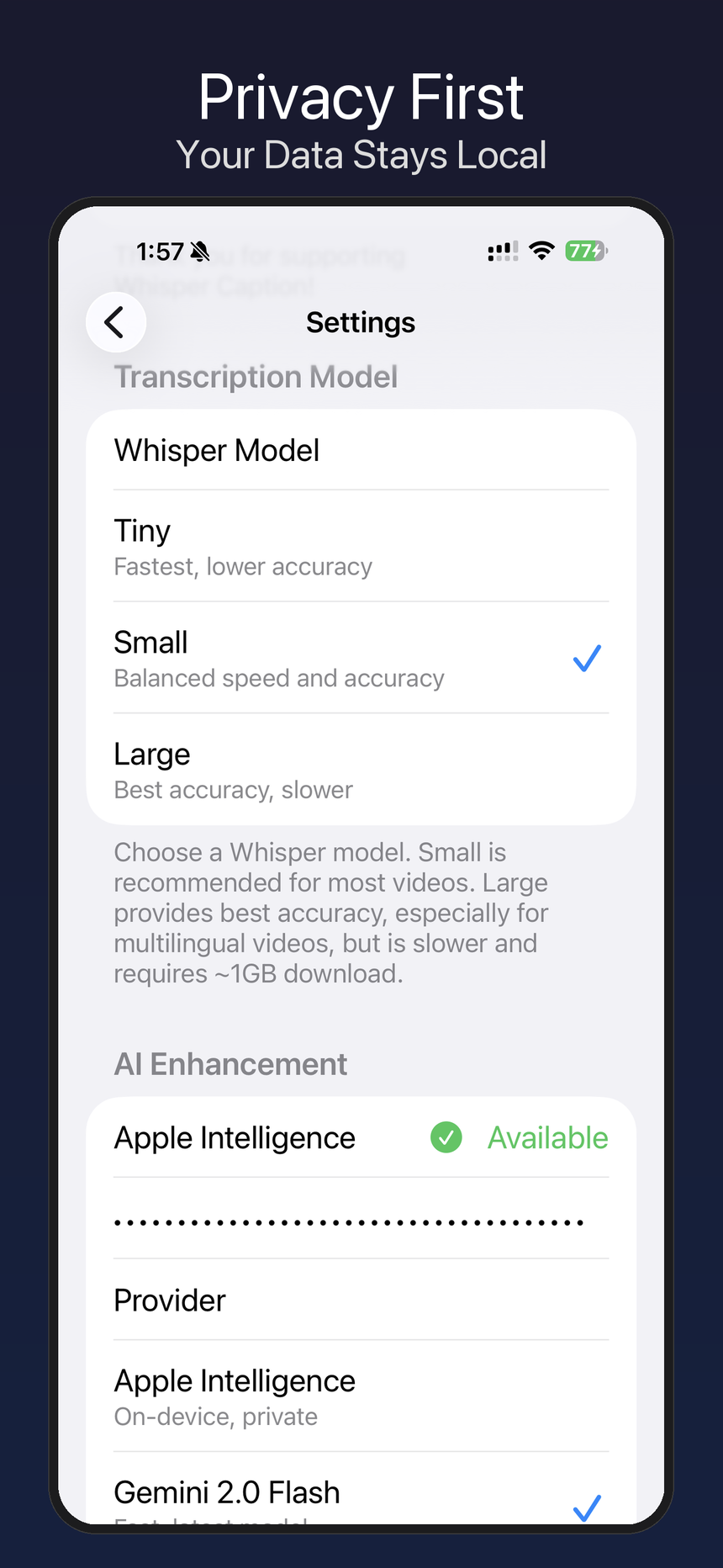
The settings screen is boring in the right way: local model choices, no account machinery.
There are multiple caption styles—light, dark, gradient, shadow—and export back to your camera roll. One of the first App Store reviews called it a “cracked app,” which remains my favorite piece of user feedback across everything I’ve shipped.
Whisper Caption is on the App Store—free to try, no account, no upload.
*TL;DR: [Whisper Caption](https://apps.apple.com/us/app/whisper-caption/id6758373934?ct=kevinmd-202607) transcribes and captions video entirely on the iPhone—OpenAI's Whisper model running locally, 90+ languages, karaoke-style word highlighting. Your footage never touches a server, and there's no subscription.*

Every video-captioning app I tried worked the same way: upload your video to their cloud, wait, get captions back, and pay monthly for the privilege. For a creator posting daily clips, maybe fine. But a lot of video shouldn't leave the phone—client work under NDA, family videos, an unreleased demo. And the subscription math is backwards: captioning is a burst activity (you caption five videos one weekend, then nothing for a month), which is exactly the usage pattern subscriptions are designed to exploit.

The thing is, the hard part of captioning—the speech recognition—no longer needs a server. Whisper, OpenAI's open-source speech model, runs comfortably on an iPhone's neural engine. So I built the app I wanted: pick a video, the transcription runs on the device, captions appear, you style them and export. The network is not involved. That's the entire architecture.

<img src="/images/whisper-caption-add-captions.png" alt="Whisper Caption editing a video with karaoke-style captions on an iPhone" width="430" />

*The basic loop: pick a video, get captions, adjust, export.*

## Word-level timing is the fun part

Whisper doesn't just give you text—it gives you timing per word. Whisper Caption uses that for karaoke-style highlighting: each word lights up as it's spoken. It reads as much more "produced" than static caption blocks, and it's the style short-form video has trained everyone to expect.

<img src="/images/whisper-caption-edit-every-word.png" alt="Whisper Caption transcript editor showing editable caption segments and timing" width="430" />

*Every segment stays editable, because automatic captions always need a human escape hatch.*

Getting this right in Chinese was its own adventure. For spaceless scripts like Chinese and Japanese, Whisper returns one coarse timing per sentence, so my first version highlighted the *entire sentence* at once—technically karaoke, spiritually a PowerPoint. The fix was exploding sentences into per-character units with CJK-aware spacing. I mention this partly because it was a satisfying bug, and partly because Chinese support isn't a checkbox here—the app's intro script literally demos Mandarin with pinyin captions. With 90+ languages in the model, Spanish, Chinese, and English were the three I tested hardest.

<img src="/images/whisper-caption-no-cloud.png" alt="Whisper Caption screenshot showing no cloud required and on-device captioning" width="430" />

*No cloud is not a slogan here; the captioning path runs locally.*

## What it doesn't do

No cloud features, obviously—that's the point, but it means no team libraries or cross-device sync. And on-device transcription is bounded by your phone's chip: a newer iPhone chews through video quickly, an older one takes noticeably longer. I think that trade is worth making explicit rather than hiding: you're trading a little patience for footage that never leaves your hand and a price that isn't a subscription.

<img src="/images/whisper-caption-privacy-settings.png" alt="Whisper Caption settings showing local Whisper model choices and local AI enhancement options" width="430" />

*The settings screen is boring in the right way: local model choices, no account machinery.*

There are multiple caption styles—light, dark, gradient, shadow—and export back to your camera roll. One of the first App Store reviews called it a "cracked app," which remains my favorite piece of user feedback across everything I've shipped.

[Whisper Caption is on the App Store](https://apps.apple.com/us/app/whisper-caption/id6758373934?ct=kevinmd-202607)—free to try, no account, no upload.